
 Add-ons
Gehe zu Datum |
Goto Date |
|
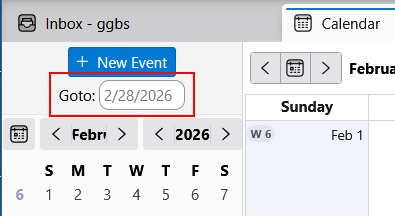
Dieses Add-on fügt der Kalenderansicht ein Eingabefeld hinzu, das es erlaubt, direkt zu einem bestimmten Datum zu springen. |
This add-on adds an input field to the calendar view, allowing you to jump directly to a specific date. |
|
Neueste Version herunterladen
Die Datei speichern. Dann in Thunderbird zu 'Extras' > 'Add-ons und Themes'
gehen, das Zahnradsymbol klicken und 'Add-on aus Datei installieren' auswählen.
|
Download the latest version
Save the file. Then, in Thunderbird, go to 'Tools' > 'Add-ons and Themes',
click the gear icon, and select 'Install Add-on From File'.
|
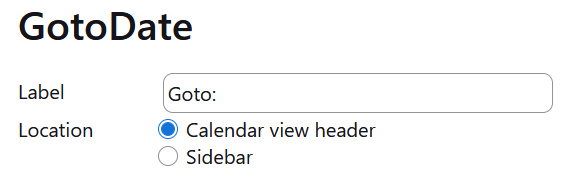
HinweisDa der Platz in der Kopfzeile der Kalenderansicht besonders bei der Mehrwochenansicht u. U. sehr begrenzt ist, kann das Eingabefeld in der Seitenleiste angezeigt werden. Das Label zum Eingabefeld kann angepasst werden. Neben der Eingabe eines vollen Datums genügt es auch, nur ein Jahr, nur einen Monat, 'Monat.Jahr' oder 'Tag.Monat.' einzugeben. Die fehlenden Werte werden dann vom aktuellen Datum übernommen. |
NoteSince the space in the header of the calendar view may be very limited, especially in the multi-week view, the input field can be displayed in the sidebar. The label for the input field can be customized. Besides entering a full date, it is also sufficient to enter only a year, only a month, 'month/year' or 'month/day/'. The missing values will then be taken from the current date. |
Versionen |
Versions |
| Date | Version | |
|---|---|---|
| 6.3.2026 | 2.1 |
|
| 24.2.2026 | 2.0 |
|
| 5.12.2025 | 1.6 |
|
| 19.11.2025 | 1.5 |
|
| 18.11.2025 | 1.4 |
|
| 18.11.2025 | 1.3 |
|
| 17.11.2025 | 1.2 |
|
| 15.11.2025 | 1.1 |
|
| 5.10.2025 | 1.0 |
|
6. März 2026, G.Gersdorf